
Scalable Media Workflows: From Asset Intake to Delivery
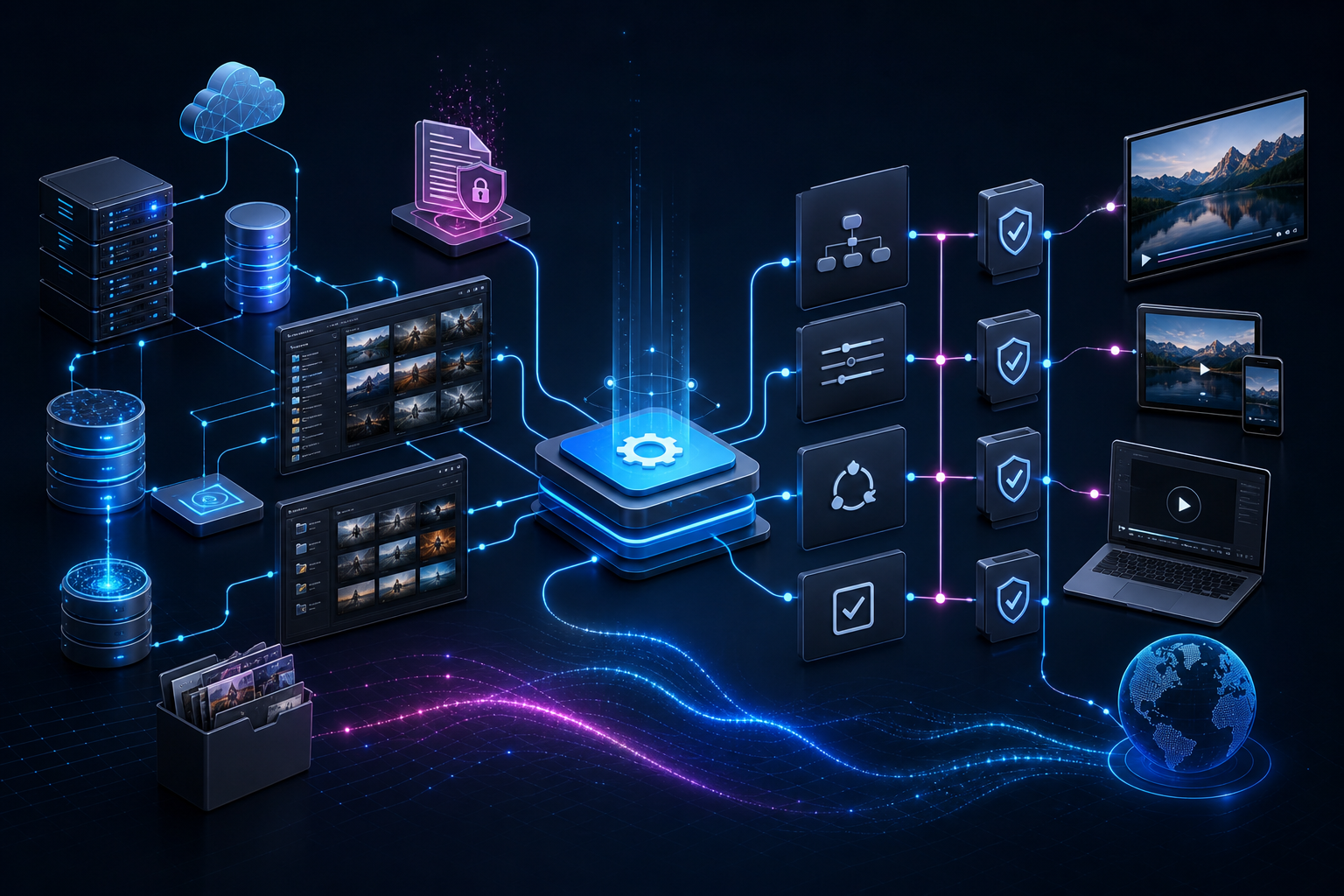
Scalable media workflows are not just faster file transfers. They are the repeatable rules that move assets from creation or upload to storage, search, transformation, approval, and final delivery without forcing people to rebuild the process every time.
When that path is clear, teams move faster and outputs stay consistent. When it is not, teams rely on memory, informal rules, ad hoc scripts, and manual effort to keep content moving. That is where operations start to break down.
This guide explains what media workflows look like at every stage, how automation changes the work for content and technical teams, and where Flo fits in a broader supply chain ecosystem that may include rights systems, supply chain orchestration, MAMs, and cloud storage.
What are media workflows and why do they matter?
A media workflow defines what happens to an asset at each stage of its lifecycle. It sets the rules for how files are ingested, organized, processed, approved, and delivered.
Without that structure, teams make decisions on the fly. One designer names files one way. Another uses a different convention. One developer writes a script to resize assets. Another handles the same logic in frontend code. Over time, those small inconsistencies become operational drag.
The problem is not that people are careless. It is that no single person holds the full picture. Modern media work crosses storage, metadata, rights, creative, QC, approval, and delivery systems. A scalable workflow gives those systems a shared path.
Flo connects with existing storage such as S3, Box, and Google Drive, then layers search, transformation, and workflow logic on top of what is already in place. The goal is not to make teams abandon useful infrastructure. The goal is to make the infrastructure behave like one coordinated operation.
What are the core stages of a scalable media workflow?
Most media workflows move through the same broad stages, even when the systems and teams vary.
1. Content creation and ingestion
This is where assets originate. Files may come from designers, agencies, production teams, external photographers, post-production vendors, or automated generation steps.
Ingestion is the moment those files enter the workflow. Without a defined ingestion process, assets arrive in inconsistent formats, with inconsistent names, and land in inconsistent locations. Automation at this stage can validate files, capture metadata, index content, and route assets correctly from the start.
2. Storage and organization
Storage is not only where files live. It is how teams make sure files can be found, understood, and used later.
Metadata, tagging, relationships, and indexing matter here. A file stored without useful context is practically invisible to anyone who did not create it. A well-indexed asset can be found by a producer, marketer, developer, or operator without asking around in Slack.
3. Processing and transformation
This is where raw assets become usable outputs. Images are resized, cropped, and converted. Video files are transcoded or compressed. Captions, thumbnails, crops, proxies, and derivatives are created for specific channels.
Manual processing is slow and error-prone. Flo supports 500+ media transformations, so teams can turn repeatable conversion work into workflow logic instead of one-off production tasks.
4. Approval, QC, and exception handling
Scalable workflows are not fully autonomous by default. They know when to stop.
QC checks, brand review, rights flags, technical validation, and human approval gates should be built into the workflow. That prevents a fast process from becoming an unsafe process. It also gives teams a record of what happened, who approved it, and which version moved forward.
5. Optimization, delivery, and monitoring
Delivery is where the right asset reaches the right channel, partner, platform, or downstream system. Optimization makes sure it is the right size, format, metadata package, and quality level for that destination.
Monitoring closes the loop. If a workflow cannot show where work slows down, where errors occur, and what was delivered, it is hard to improve. Scalable media workflows need visibility, not just automation.
How does automation change media workflows?
Automation replaces repeated manual choices with consistent, rule-based logic. Instead of a team member deciding how to handle every uploaded file, the workflow handles common steps automatically according to defined rules.
That changes the daily work in four ways:
- Turnaround gets more predictable. Naming, routing, transformation, and delivery steps do not wait for someone to remember the process.
- Outputs become more consistent. The same source asset follows the same transformation and approval rules regardless of who uploaded it.
- Teams spend less time on handoffs. Operators, marketers, designers, and developers stop chasing status across folders, tickets, and spreadsheets.
- Exceptions get clearer. When something needs human judgment, the workflow can route it to the right reviewer with context attached.
The strongest workflows combine deterministic rules with AI assistance. AI can help search, classify, summarize, generate, and flag likely issues. Workflow logic should still enforce what must always happen: required checks, approval gates, delivery specs, and audit trails.
For the reliability argument in more detail, see why you cannot vibe-code a media pipeline.
Where does Flo fit in a media supply chain ecosystem?
One customer question gets to the heart of scalable media operations:
How does Flo fit into a supply chain ecosystem from a delivery and fulfilment perspective, where a sales and licensing system such as Rightsline integrates to a supply chain system such as SDVI Rally, which then links to where content is managed across MAM and non-MAM environments?
The short answer: Flo is best understood as a connective media workflow layer, not a rip-and-replace system.
In that ecosystem, a rights or licensing system may remain the commercial source of truth. A supply chain system may coordinate fulfilment plans, work orders, or downstream obligations. A MAM may manage mastered assets, editorial metadata, version relationships, or archive structure. Non-MAM storage such as S3, Box, or Google Drive may hold working files, campaign assets, vendor uploads, or derivatives.
Flo can sit across those environments to make media searchable, actionable, and ready for workflow execution. It can help teams:
- Find assets across connected storage and repositories using AI-powered search.
- Prepare derivatives, proxies, or delivery-ready formats through transformation workflows.
- Carry metadata and workflow context between systems instead of losing it at each handoff.
- Add review, QC, and approval gates before assets move to fulfilment or publishing.
- Trigger or support downstream delivery flows once the right asset, rights context, and approval state are in place.
That makes Flo complementary to MAM, rights, and supply chain tools. The MAM or storage layer answers, “Where does the content live?” The rights system answers, “What are we allowed to do?” The supply chain system answers, “What needs to be fulfilled?” Flo helps connect those answers to the actual media work: discover the asset, transform it correctly, route it for approval, and deliver it with context intact.
For a broader version of this model, read Flo as the connective layer.
How do scalable media workflows help content and marketing teams?
For content and marketing teams, the value shows up in daily execution.
When a file is uploaded, automation can generate required formats, apply naming rules, attach metadata, and route the asset to review or distribution. A brand refresh can replace the right visual without requiring every channel owner to manually update their own copy. A campaign team can create platform-specific derivatives without recreating the same resize and export process for each destination.
Scalable workflows also protect brand consistency. A contractor, in-house designer, and regional marketer can all upload assets through the same rules. The workflow enforces the same transformation logic, approval path, and delivery requirements.
That reduces back-and-forth. Fewer questions are needed because the workflow makes the next step visible.
How do scalable media workflows help technical teams?
For developers and technical operators, the biggest benefit is reducing fragmented logic.
In many media stacks, transformation and delivery rules are scattered across frontend code, backend jobs, scripts, configuration files, and undocumented processes. Every change carries risk because no one is sure where the real rule lives.
Centralizing workflow logic changes that. Serving lighter assets to mobile clients, creating channel-specific variants, checking required metadata, or blocking unapproved delivery can be defined in the workflow instead of being re-implemented in every application.
Flo’s integrations with S3, Box, and Google Drive help teams connect the systems they already use. Developers do not need to migrate every file before proving value. They can layer workflow automation on top of existing storage and expand from there.
What are common scaling challenges?
Media workflows usually fail at scale for predictable reasons:
- Rising processing demands: More assets create more resize, transcode, caption, QC, and delivery work.
- Inconsistent global delivery: Regional teams produce different outputs because rules are not centralized.
- Device and format fragmentation: Content needs to reach mobile, desktop, social, OTT, partner, and internal destinations.
- Manual bottlenecks: Work moves only as fast as the person available to review, tag, rename, upload, or approve.
- Storage disorganization: Naming and metadata gaps make large libraries hard to navigate.
- Escalating delivery cost and rework: Unoptimized assets and failed handoffs create avoidable processing and bandwidth waste.
The signal that a workflow needs to scale is simple: people are repeating the same decisions, the same corrections, or the same handoffs every week.
Frequently asked questions
What is a media workflow?
A media workflow is the defined process an asset follows from creation or upload to storage, transformation, approval, and delivery.
How is a media workflow different from a DAM or MAM?
A DAM or MAM usually manages assets and metadata. A media workflow governs what happens to those assets: how they are found, transformed, approved, routed, and delivered.
Does Flo replace Rightsline, SDVI Rally, or a MAM?
Not by default. Flo is designed to complement existing systems by adding search, transformation, approval, and workflow automation across the media stack.
When should a team automate media workflows?
Start when manual steps are slowing delivery, assets look inconsistent across channels, or developers are repeatedly rebuilding the same transformation and delivery logic.
The takeaway
Scalable media workflows turn media operations from a chain of manual handoffs into a coordinated system. They define how assets enter the operation, how they are found, how they are transformed, who approves them, and where they go next.
Flo helps teams build that layer without replacing the infrastructure they already depend on. Start with one painful workflow, connect the systems that matter, and make the path from discovery to delivery repeatable.
Help me scale my media workflows
See how Flo connects storage, search, transformation, approval, and delivery across the media systems your team already uses.
Explore Flo